1101 W. Sanilac Rd. Caro, MI 48723
989.673.6690
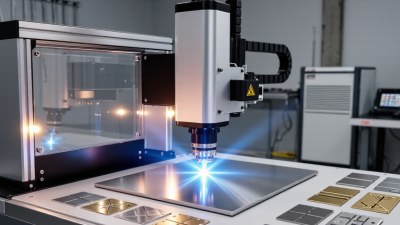
Choosing a fiber laser engraver is not simply a matter of buying the highest wattage. Your material, production volume, artwork detail, and workshop conditions all shape the right decision. A compact 20-watt machine may mark anodized aluminum cleanly, while a 50-watt system can shorten cycle times on stainless steel. More power is not always better.
Industry forecasts show why this choice deserves careful attention. Grand View Research reports continued growth in the global laser marking market, driven by traceability, customized products, and automated manufacturing. MarketsandMarkets also identifies fiber lasers as a major growth segment because of their efficiency, long service life, and low maintenance requirements. These figures suggest strong demand, but market growth does not guarantee a suitable machine for every buyer.
Dr. Stefan Kaierle, an internationally recognized laser-processing specialist at Fraunhofer ILT, has emphasized, “The process must be designed around the material and the application.” That principle is easy to overlook. A reliable fiber laser engraver should match your real workflow, not an impressive showroom sample. Check its source quality, scanning speed, lens options, software compatibility, cooling method, and after-sales support. Ask for test markings using your own parts. Tiny text can blur. Curved surfaces can expose weak focusing. Weaker vendors may hide these limitations.
This guide examines seven practical selection points. It also admits an uncomfortable truth: specifications alone cannot predict daily performance. Your material samples, operators, and production goals must complete the evaluation.
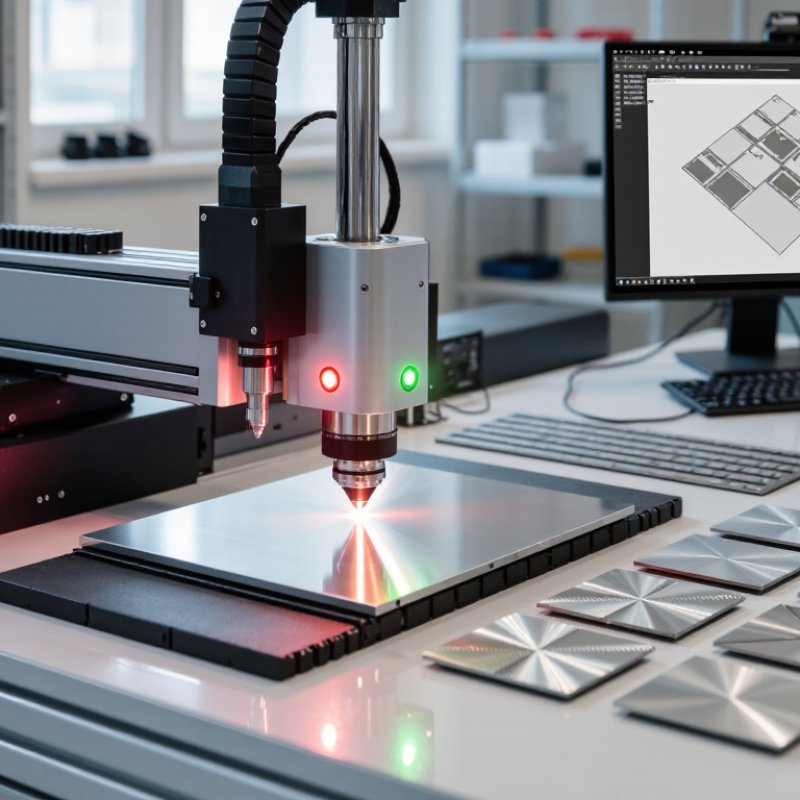
Your engraving goal should guide every equipment decision. Decide whether you need identification marks, decorative patterns, serial numbers, or deep engraving. These tasks require different power levels, lenses, and working speeds. A small workshop may value flexibility more than maximum output.
Name your materials precisely. Stainless steel, aluminum, brass, titanium, and coated metals react differently to laser energy. Bare aluminum may need careful testing for contrast. Anodized aluminum can produce sharp, clean marks with lower power. Some plastics are compatible, but others can release hazardous fumes or melt unevenly. Check the material’s safety data before processing it.
Measure your typical workpiece. A small lens may deliver finer detail, while a larger lens covers more area. Examine the smallest text you plan to mark. Then consider your daily volume, production space, extraction needs, and operator training. These details often matter more than impressive power ratings.
I once assumed higher power would solve every marking problem. It did not. Excess energy damaged edges and reduced readability on thin parts. Test several settings on scrap material. Record power, speed, frequency, and focus distance. Keep those results, even when they look imperfect. They reveal how your machine actually behaves. A clear goal and honest material testing create a more reliable purchasing decision.
7 Tips to Choose the Best Fiber Laser Engraver
Laser power should match your material, thickness, and production speed. Higher wattage removes metal faster, but it can soften fine edges or create excess heat. Lower power often delivers cleaner marks on thin stainless steel and coated surfaces. More power is not better. Compare pulse duration, frequency range, and spot size, not wattage alone.
Wavelength strongly affects absorption. A standard near-infrared wavelength works well on many metals, while reflective materials may require careful testing and suitable settings. Ask for real test samples, not only impressive photographs. Engraving performance depends on contrast, line sharpness, depth consistency, and repeatability. Test several speeds and power levels on the exact material you use. Test before production.
A smaller spot can produce sharper text, but it may reduce coverage speed. Larger spots can mark broad areas efficiently, though tiny details may lose definition. Check the working field, focusing method, and height tolerance before buying. I once trusted a sample made on polished steel, then struggled with a different surface finish. That mistake taught me to test actual parts. Consider air cooling, extraction, enclosure quality, and eye protection. Keep a settings record for each material, because memory is unreliable and operators change. Choose equipment with clear technical documentation and responsive service support.
| # | Selection Tip | Typical Power | Wavelength | Suitable Materials | Typical Engraving Performance | Best Use Case |
|---|---|---|---|---|---|---|
| 1 | Match power to the material | 20–30 W | Commonly 1,064 nm | Stainless steel, aluminum, brass, copper, coated metals, some plastics | Fine marking, serial numbers, logos, and shallow engraving; generally slower for deep engraving | Light-duty identification and customized products |
| 2 | Choose higher power for depth and throughput | 50–60 W | Commonly 1,064 nm | Steel, stainless steel, aluminum, anodized aluminum, brass, selected engineering plastics | Typically supports faster marking and deeper engraving than 20–30 W systems, depending on settings and material | Regular production, industrial parts, and deeper contrast marking |
| 3 | Use high power for deep engraving | 100 W or higher | Commonly 1,064 nm | Steel, stainless steel, aluminum, titanium, and other metal components | Better suited to repeated passes, deep reliefs, mold text, and demanding production workloads | High-volume manufacturing and deep metal engraving |
| 4 | Verify wavelength compatibility | Usually 20–100+ W | Near-infrared, typically 1,064 nm | Most bare and coated metals; material response varies by surface finish and alloy | Strong general-purpose performance on metals, with settings adjusted for marking, annealing, or engraving | Metal-focused applications requiring versatile surface processing |
| 5 | Compare speed with mark quality | 20–60 W | Typically 1,064 nm | Metal tags, tools, electronic parts, jewelry, and coated components | Maximum scan speeds are often specified in meters per second, but practical speed depends on power, pulse settings, lens, and graphic complexity | Applications where cycle time and readable contrast are equally important |
| 6 | Check the marking area and resolution | Any power level | Typically 1,064 nm | Flat metal plates, cylindrical parts, small components, and detailed products | Common lens options provide working areas such as approximately 70 × 70 mm to 300 × 300 mm; smaller fields generally support finer detail | Choosing between precision marking and larger-part coverage |
| 7 | Evaluate pulse control and software features | 20–100+ W | Typically 1,064 nm | Metals, coated surfaces, selected plastics, and precision components | Adjustable frequency, pulse width, hatch spacing, and multiple-pass control can improve contrast, reduce heat effects, and support cleaner edges | Professional users needing repeatable results across different materials |
Note: Actual engraving speed, depth, contrast, and quality vary with material alloy, surface finish, focal length, pulse settings, scan strategy, and the design being processed. Always confirm performance with a sample test before purchase.
7 Tips to Choose the Best Fiber Laser Engraver
Start with the work area. Measure your largest part, then add space for clamps and rotation fixtures. Tip one: avoid sizing the bed tightly. Tip two: check whether the focus lens covers your required marking field. Tip three: confirm the laser source suits steel, aluminum, brass, or coated materials. Material response varies sharply. The Laser Institute of America recommends documented controls under ANSI Z136.1, while IEC 60825-1 defines laser safety classifications. Ask for test samples, not attractive claims.
Precision needs evidence. Tip four: request positioning accuracy, repeatability, and line-width data under stated conditions. ISO 9283 separates accuracy from repeatability, which many sales sheets blur. Tip five: inspect edge sharpness at actual production speed. A tiny logo may look clean, while a larger serial number becomes uneven. I once focused too much on advertised resolution. That was a mistake. Tip six: verify software support for your file formats, barcode requirements, and future automation plans.
Compatibility is often overlooked. Tip seven: check power requirements, exhaust needs, fixture height, and communication interfaces. The International Federation of Robotics reported 541,302 industrial robot installations worldwide in 2023. That growth makes cell integration more important. Confirm whether the engraver can exchange start, stop, and completion signals. Also test maintenance access around the lens and galvo head. A technically impressive machine can still waste production time if operators cannot load parts comfortably. Recheck every specification with a sample, a measurement, and a written acceptance condition.
Compare the key factors below before purchasing a fiber laser engraver. The suggested evaluation weights reflect the practical importance of work area, precision, machine compatibility, and operating requirements.
Suggested evaluation weights total 100% and are intended as a practical buyer checklist. Actual requirements depend on material type, part size, production volume, and marking depth.
Software should make daily work predictable, not merely attractive. Look for vector import, parameter libraries, preview simulation, batch numbering, and password-controlled access. In practical shop-floor testing, previewing the engraving path helps prevent misplaced marks and wasted blanks. A 2024 report from Grand View Research estimates the laser marking machine market will grow steadily through 2030, increasing the value of flexible, easy-to-update software. Cloud features can help, but offline operation remains useful when networks fail.
Operation deserves equal attention. Choose a clear interface, adjustable speed, rotary compatibility, and visible status indicators. Short training reduces mistakes. It does not remove them. The International Federation of Robotics recorded 541,302 industrial robot installations worldwide in 2023, reflecting wider automation adoption and stronger demand for repeatable processes. Still, an engraver should allow manual parameter checks before production begins. Materials, coatings, and focal distance can change results significantly.
Safety features must be practical, not decorative. Enclosed designs, interlocks, emergency stops, extraction ports, and documented laser classification support safer operation. IEC 60825-1 and ANSI Z136.1 provide recognized guidance for laser safety management. Maintenance also matters: inspect lenses, clean the work area, check extraction airflow, and back up parameter files. Manufacturers should provide service intervals and replacement procedures. I would also question vague claims about “maintenance-free” operation; dust eventually finds a way inside.
A practical purchase review should begin with total cost, not the sticker price. Include the source, lenses, rotary fixtures, extraction, software, training, electricity, and maintenance. MarketsandMarkets’ 2024 Fiber Laser Market report projects strong industry growth through 2029, but expanding demand does not guarantee lower ownership costs. Cheap is rarely cheap. A low-cost machine may require frequent alignment, slower support, or expensive replacement optics.
Manufacturer support deserves a line-by-line review. Ask for response times, remote diagnostics, spare-part availability, installation guidance, and operator training. Record who handles technical issues and where parts ship from. A machine that sits idle for three days can cost more than a higher-priced system. The U.S. Department of Energy reports that electric motors and industrial equipment efficiency can materially affect operating expenses, so compare rated power and standby consumption, not only laser wattage.
Warranty terms need careful reading. Check coverage for the laser source, galvo scanner, control board, cooling system, and optics. Confirm whether labor, shipping, and on-site service are included. Some warranties exclude contamination, improper maintenance, or unstable power. Read every clause. Grand View Research has reported continued double-digit growth expectations for the fiber laser market, increasing equipment choices and specification differences. I would request a written sample contract and two customer references. This step feels slow, but skipping it is an avoidable mistake. Assess your actual materials and workload, because my first cost estimate may still be too optimistic.