hero image

What Is the Best Metal Engraving Machine to Buy?

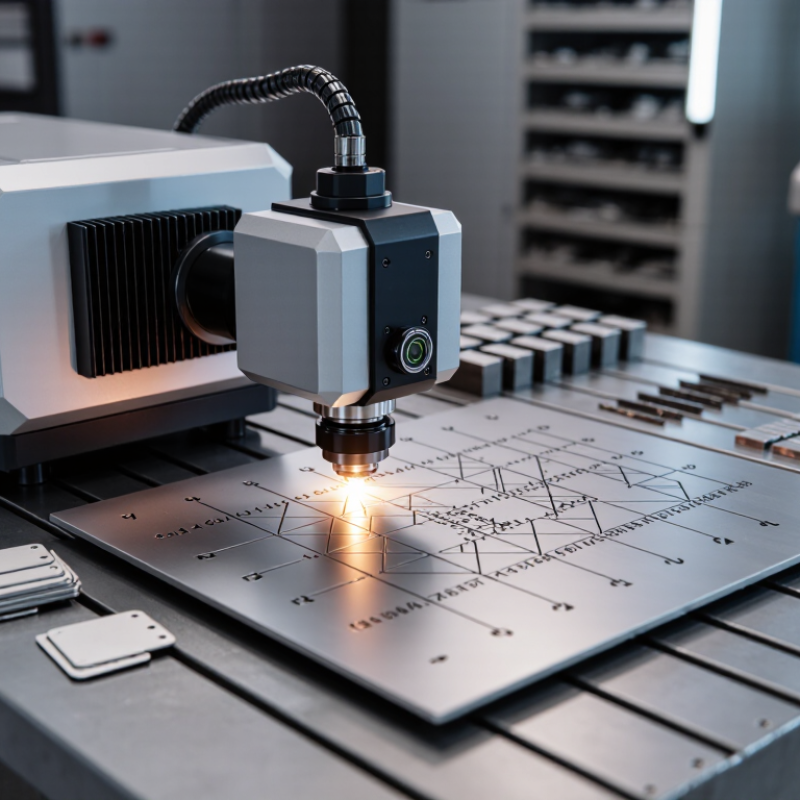
Choosing the best metal engraving machine is not a matter of buying the most powerful model. The right choice depends on the metals you mark, the detail required, and how many parts you process each day. A fiber laser can produce crisp serial numbers on stainless steel, while a rotary engraver may suit deeper cuts or small workshop jobs. The differences matter. A bright sample plate can hide slow cycle times, difficult software, or costly maintenance.

Industry data offers useful context, but it does not choose a machine for you. The International Federation of Robotics’ World Robotics 2024 report counted 4,281,585 industrial robots operating worldwide in 2023, up 10% from 2022. That expansion reflects broader investment in automated production, where durable, readable part identification can support tracking and quality checks. Grand View Research’s laser-marking market analysis also follows growing demand for marking equipment across manufacturing applications. These reports describe market direction, not a guarantee that every shop needs a laser.

This guide compares machine types, materials, work areas, power, software, and ongoing costs. It also explains which specifications deserve a closer look before purchase. Consider a small shop marking a dozen steel tags each week; its needs differ from a production line marking hundreds of components per hour. There is no universal winner. Even experienced buyers can underestimate setup time or overlook service availability. Use the options and practical checks below to find a metal engraving machine that fits your real workload, rather than an impressive brochure.
What Is the Best Metal Engraving Machine to Buy?

Types of Metal Engraving Machines and How They Work

What Is the Best Metal Engraving Machine to Buy?

Metal engraving machines work in different ways, and the right type depends on the material, detail, and production volume. Fiber laser machines focus light to heat or remove a metal surface, producing fine marks without a cutting tool. They suit stainless steel, aluminum, and many coated metals. The process is fast. But reflective materials may need careful setup to avoid inconsistent results. Grand View Research reported that the global laser marking market was valued at USD 2.9 billion in 2022, with projected annual growth of 8.7% from 2023 to 2030. This market figure signals broader demand, not a guarantee that every laser suits every workshop.

Mechanical CNC engravers use a rotating bit to cut grooves into metal. They can create tactile lettering, but tool wear and workpiece clamping affect the finish. Dot-peen machines use a pin to make a sequence of small indentations, often for durable identification marks. Their marks are practical, though less visually refined. CO2 lasers generally mark bare metal poorly without a marking compound; they are more suitable for coated surfaces. Before buying, test the exact alloy and finish you plan to engrave. Check sample depth, edge quality, setup time, and ventilation needs. A polished aluminum sample can behave differently from a brushed one. It is easy to underestimate that difference.
Metal Types and Engraving Methods to Consider

Metal type should guide your machine choice. A fiber laser can mark many bare metals, including stainless steel, while anodized aluminum often produces a crisp, high-contrast result. Brass and copper reflect laser energy, so confirm that the machine and settings suit them. A rotary engraver or CNC tool physically cuts into the surface, making it useful for deeper grooves and lettering that must withstand handling. Dot-peen systems create small, connected impressions and can mark curved or uneven parts. Not every finish behaves alike.

Tips: Secure a clean sample of the same metal and finish. Test a small patch before engraving the final piece. Change one setting at a time, and record the result. Wear suitable eye protection and provide ventilation.

When comparing machines, consider the mark you need, not just advertised power. Fine logos may call for a different process than deep serial lettering. Thin sheet metal can warp under excessive heat or pressure; a rigid fixture helps, but may not solve every problem. Reflective surfaces can also produce inconsistent laser marks. Ask for sample results on your exact material, and check whether the working area fits your largest item. A lower-cost machine may handle occasional marking well, yet struggle with repeatable depth. There is no universal best choice. The awkward part is that testing takes time, but skipping it can waste both material and setup effort.

What Is the Best Metal Engraving Machine to Buy?

Metal Types and Engraving Methods to Consider

Melting points are reference values for the pure metals shown; alloys can differ. For metal marking, fiber lasers are commonly used, while CNC engraving is suitable when you need a cut or recessed design. Choose a machine based on the specific metal, the mark you want, and the required production speed.

Key Machine Features for Different Engraving Needs

What Is the Best Metal Engraving Machine to Buy?

Key Machine Features for Different Engraving Needs

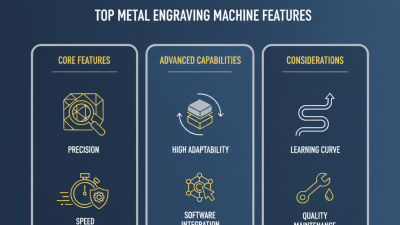
The right machine depends on the metal, marking depth, and size of each job. For fine text or serial numbers, look for a stable motion system and a small, consistent laser spot. Stainless steel tags often need clear surface contrast, while deeper marks may require a different process and more power. More power is not automatically better. It can add cost without improving the details you need.

Check the work area against your largest parts, not just the samples shown in a catalog. A rotary attachment helps with rings, tubes, and handles; a flat-bed setup suits plates and panels. For repeated production, reliable positioning, simple job setup, and accessible maintenance matter. For occasional work, an intuitive interface may be worth more than maximum speed. Ask for a sample on your own metal, with your intended line thickness and finish. Tiny text can look crisp on a test plate but soften on a curved surface. That is easy to overlook. I would not trust a specification sheet alone; material coatings and settings can change the result. Also check guarding, ventilation requirements, and whether replacement lenses or other wear parts are readily available.

What Is the Best Metal Engraving Machine to Buy? — Key Machine Features for Different Engraving Needs
Machine type Best suited for Typical results Material compatibility Key features to compare Main limitations Best choice when...
Fiber laser engraver Serial numbers, logos, barcodes, fine text, and production marking Fast, precise surface marks; some systems can produce deeper engraving with suitable settings and multiple passes Works well on many bare metals, including stainless steel, carbon steel, aluminum, brass, and titanium. Results vary by alloy and finish. Laser power, working area, focus adjustment, rotary attachment compatibility, enclosure, and extraction provisions Higher initial cost than many hobby machines; an enclosed, interlocked setup and appropriate fume control are important. You need repeatable, detailed marking on metal and expect regular or production use.
CO₂ laser engraver Marking coated metal parts and engraving non-metal materials alongside metal work Can mark paint, anodized coatings, and other suitable surface finishes; bare metal usually needs a compatible marking compound for a visible mark. Strong on wood, acrylic, leather, and many coated surfaces; not generally suited to direct engraving of bare metal. Bed size, laser power, cooling, focus control, rotary support, enclosure, and ventilation Not the most direct option for bare-metal marking; marking compounds require correct application and material testing. You already process non-metals and mainly need to mark coated or treated metal surfaces.
Diode laser engraver Light-duty projects, hobby work, and occasional marking of coated or treated metal Can remove or alter some coatings; direct marking of bare metal is limited and depends on the machine, surface, and process. Suitable for many non-metal materials and some coated metals. Bare-metal results may require a marking compound and testing. Optical output, spot size, work area, focus adjustment, motion accuracy, enclosure, and fume extraction Usually slower and less capable on metal than a fiber laser; not a good choice for deep metal engraving. Your budget is limited and your metal work is occasional, shallow, or coating-focused.
CNC rotary engraver Cutting grooves, creating tactile lettering, and engraving flat or curved parts Physical cuts with measurable depth; finish depends on the tool, material, spindle, and cutting settings. Can machine metals such as aluminum and brass with appropriate tooling and settings. Harder metals may require suitable rigid equipment and cutters. Spindle runout, machine rigidity, workholding, axis travel, tool compatibility, and rotary-axis support Slower than laser marking for many small designs; cutters wear, and the workpiece must be securely clamped. You need a cut groove, a tactile result, or controlled engraving depth rather than a surface-only mark.
Pneumatic dot peen marker Durable identification on tools, components, and industrial parts Creates characters or patterns as a series of small impact marks; marks are physical and can remain legible after surface wear. Suitable for many metal parts, including steel and aluminum, when the machine and marking settings match the material. Marking area, marking-head access, part fixturing, character size, software, and portability Marks are less suitable for fine photographic detail and can be louder and rougher in appearance than laser marks. Durable part identification matters more than a smooth, polished-looking finish.
Electrochemical marking system Shallow identification marks on conductive metal surfaces Creates a localized surface mark using an electrode, stencil, and electrolyte; it does not cut a deep groove. Suitable for conductive metals when the electrolyte and process are compatible with the specific alloy and finish. Stencil availability, electrode design, mark area, electrolyte handling, and repeatability Generally shallow; stencil preparation and process compatibility can limit design flexibility and production speed. You need a simple, low-profile mark and do not require deep engraving or high-resolution artwork.

Buying tip: Match the machine to the metal alloy, surface finish, required mark depth, part size, and production volume. Test representative parts before purchase, and include appropriate guarding and fume or dust control in the setup.

How to Match a Machine to Your Budget and Workspace

The best metal engraving machine is the one that fits your actual work, not the largest model you can afford. For direct marking on steel, brass, or aluminum, compare fiber-laser systems first. Add a rotary fixture if you engrave cylindrical parts. For a small workshop, measure the machine, loading area, and extraction equipment together. Measure twice.

Build the full cost into your budget: lenses, ventilation, safety enclosure, software, training, and maintenance can add up. OSHA guidance emphasizes controls for laser hazards, so check enclosure interlocks and ventilation before installation. A compact machine may save floor space, but cramped access can make routine loading and cleaning frustrating. That trade-off is easy to miss.

Grand View Research’s 2024 Laser Marking Market report estimated the market at $3.09 billion in 2023 and projected 7.2% annual growth through 2030. That signals expanding use, not a reason to overspend. Match capacity to expected monthly volume and material variety. Ask for sample engravings on your own stock, then inspect contrast, edge quality, and cycle time. A polished demo may not reflect a busy shop. Leave room for a mistake.

Safety, Maintenance, and Long-Term Ownership Costs

A metal engraving machine’s purchase price is only the visible cost. Check whether its enclosure prevents access to the beam, and whether extraction captures smoke near the work surface. Keep the machine clean, inspect cables and interlocks, and replace filters on schedule. Small lapses add up. The U.S. Bureau of Labor Statistics reported 2.6 million nonfatal workplace injuries and illnesses in private industry in 2023. That figure is not specific to engraving, but it is a useful reminder: safety controls deserve attention, not just a line in the manual.

Long-term costs include replacement optics, extraction filters, cooling-system upkeep, electricity, and service labor. The BLS reported a median annual wage of $46,700 for general maintenance and repair workers in May 2023. That is a labor-cost reference, not a machine-service quote. Ask suppliers for realistic maintenance intervals and prices, then compare them with the warranty terms. Record actual filter changes and downtime during the first year. It may feel overly cautious. Still, a machine that sits idle while a small part is shipped can cost more than expected. Check local service access before buying, and leave room in the budget for repairs you cannot predict.