hero image

What Is the Best Laser Etching Machine in 2026?

Choosing the best laser etching machine in 2026 depends on what you make, what materials you use, and how often you work. A small desktop unit may suit engraved tags, while a larger machine can handle wider panels. Fiber, CO₂, and diode lasers behave differently across metals, wood, acrylic, and coated surfaces. That distinction matters. Power ratings alone cannot tell you whether a machine will produce clean edges or repeatable results.

Laser pioneer Theodore Maiman is often credited with saying, “The laser is a solution looking for a problem.” For buyers, the reminder is useful: match the tool to the task. This guide compares laser etching machines by material compatibility, usable work area, software, setup, support, and practical safety features. It also considers whether advertised speed and precision hold up in everyday jobs. Not every specification is equally meaningful. A large work area can be wasted space, and a low price can bring trade-offs in support or workflow. Those details are easy to overlook. The recommendations should help hobbyists, small workshops, and growing businesses narrow their options without treating one model as the answer for everyone. And honestly, no comparison can predict every workshop’s results; test materials and working conditions still matter.
What Is the Best Laser Etching Machine in 2026?

How Laser Etching Machines Work

A laser etching machine directs a concentrated beam onto a material’s surface. A controller guides the beam, while moving mirrors steer it through a focusing lens. The lens narrows the light to a small spot, often about the width of a pencil tip. That sounds simple. The beam’s heat changes the surface, creating contrast through discoloration, a coating change, or slight material removal. The result depends on the material: anodized aluminum may reveal a lighter layer, while wood can darken around the mark.

The machine traces a design in controlled passes. Power, speed, focus, and line spacing affect the mark’s depth and clarity. A slower pass usually delivers more energy, but too much heat can char wood or blur fine details. Small changes matter. In practical use, operators check focus, secure the workpiece, and test a sample before processing a full batch. A settings chart is only a starting point; coatings, surface finishes, and material batches can behave differently. Ventilation and suitable eye protection also matter, since smoke and bright reflected light can create hazards. The process is precise, but not automatic.
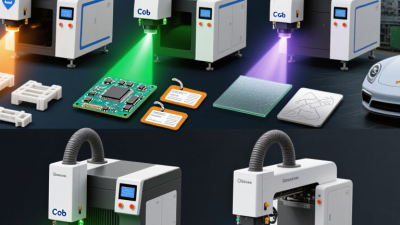
Main Laser Types and the Materials They Etch

A laser etching machine is only as useful as its match with the material. The word “etching” can mean a surface mark, a shallow engraving, or a change to a coating. They are not identical. A small test piece helps reveal the difference before you process a finished object.

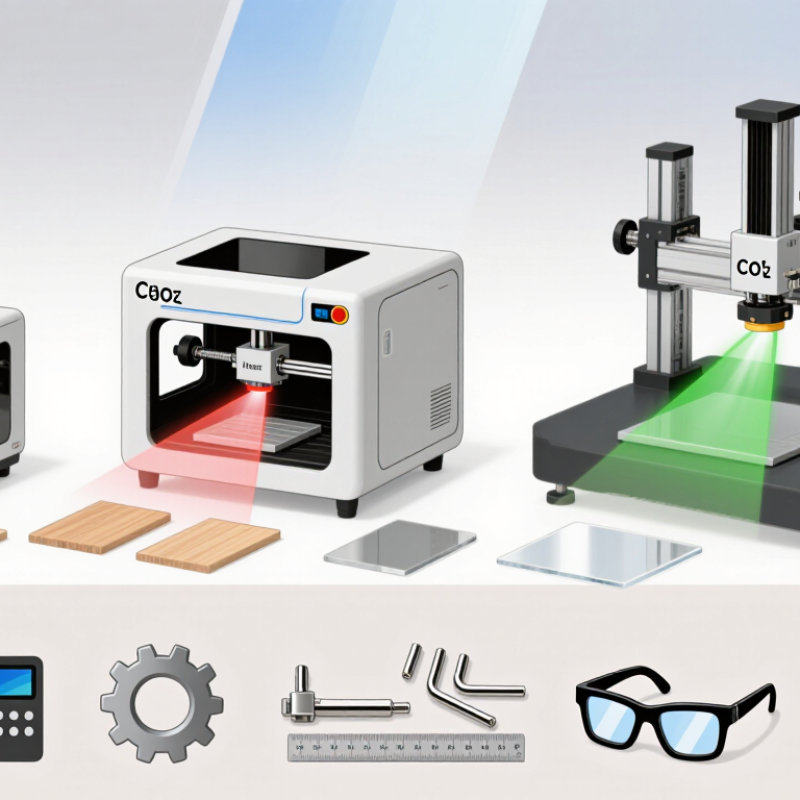
CO2 lasers commonly mark wood, paper, acrylic, and some coated materials. On glass, they can create a frosted surface, though results depend on the glass and settings. Fiber lasers are often chosen for metals such as stainless steel and aluminum, especially when fine, durable marks matter. They can also mark certain plastics, but the formulation matters. Diode lasers suit many wood and leather projects, yet bare metal is generally outside their strengths. Check twice.

UV lasers can mark some plastics and glass with limited heat impact, but compatibility still needs testing. Power alone does not predict a clean result: focus, speed, material finish, and ventilation all count. A glossy coating may mark neatly, while a similar-looking surface may blister or fade. That part is easy to underestimate. Keep a sample log of settings and outcomes; even careful notes will not make every batch behave exactly the same.

What Is the Best Laser Etching Machine in 2026? Main Laser Types and the Materials They Etch

This chart compares common material uses for four laser types. A value of 1 means the laser type commonly etches or engraves that material group directly; 0 means it is not a typical choice. Results vary with material composition, coatings, and machine settings. Surface marking is not the same as deep engraving.

Key Factors for Comparing Machines in 2026

What Is the Best Laser Etching Machine in 2026?

Key Factors for Comparing Machines in 2026

The best machine depends on the materials and marking jobs you handle most often. A model that marks coated metal cleanly may not produce crisp results on wood or glass. Check the machine’s stated material range, then test samples from your own stock. Small differences in coating, color, and surface finish can change the result.

Look closely at repeatability, not just peak speed. Run the same design several times and compare line sharpness, placement, and depth. Useful details include the work area, focusing method, and how easily settings can be saved and adjusted. A larger bed sounds appealing, but it may take up space you need for handling parts. Bigger is not always better. Software matters too: clear previews and dependable file handling can reduce setup errors.

Factor in ventilation, guarding, maintenance access, and the cost of routine supplies. Ask how the machine manages heat and debris, and whether its safety instructions suit your workspace. Request a sample test before purchase, using the material and artwork you actually plan to mark. A polished demonstration piece can be misleading. I would also compare support response times and warranty terms; those details are easy to overlook when a machine is running well.

Leading Laser Etching Machine Options by Use Case

For home workshops and small craft batches, a diode laser etcher can suit wood, paper, leather, and some coated surfaces. It is compact and relatively simple to set up, but it may work slowly on dense materials. Small details matter. Check the usable work area against your largest item, not just a sample tag. For clear designs on wood or acrylic, a CO2 machine may be a better fit. It often handles larger pieces, though it needs more space and careful ventilation.

For durable marks on bare metals, a fiber laser is commonly the more suitable option. It can produce fine, consistent markings on small tools, components, and metal labels. That precision comes with a higher equipment cost, so it may be excessive for occasional hobby use. Not always. Compare the machine’s supported materials, work area, speed, and maintenance needs with your actual workload. A fast machine is not automatically the right one.

Before choosing, run a small test on the exact material and finish you plan to use. Settings can vary, even between similar-looking pieces. Test first. Use an enclosed system and suitable fume extraction, and follow the machine maker’s operating guidance. I would not call any one setup best for everyone: a quiet home studio, a busy workshop, and a production bench have different priorities. Some trade-offs only become obvious after repeated use.

What Is the Best Laser Etching Machine in 2026? – Leading Laser Etching Machine Options by Use Case

Laser Type Typical Power Range Common Work Area Materials Commonly Marked or Etched Best-Fit Use Case Key Limitations
Fiber Typically 20–50 W for marking systems Often about 100 × 100 mm to 300 × 300 mm; varies by lens Many bare metals, including stainless steel, aluminum, brass, and titanium; some engineered plastics Serial numbers, logos, codes, and durable marks on metal parts Not generally suited to cutting or engraving untreated wood and many other non-metals; results depend on alloy and settings
CO₂ Common desktop and workshop systems: about 30–150 W Frequently about 300 × 200 mm to 900 × 600 mm Wood, paper, cardboard, acrylic, leather, and some fabrics; coated or anodized metals can be marked with suitable settings Signs, gifts, packaging, acrylic products, and larger non-metal workpieces Usually cannot directly mark bare metal without a suitable marking coating or specialized setup; requires effective fume extraction
Diode Common diode modules: roughly 5–20 W optical output Often about 300 × 300 mm to 500 × 500 mm Wood, paper, cardboard, leather, and some dark or coated surfaces Entry-level personalization, craft projects, and light-duty marking on suitable materials Typically slower than higher-power systems; generally does not directly mark bare metal, and transparent materials may not absorb its wavelength effectively
UV Common marking systems: about 3–10 W Often about 100 × 100 mm to 300 × 300 mm Selected plastics, glass, ceramics, coated materials, and some metals; compatibility depends on the material and process Fine, low-heat marking on small components, delicate plastics, and products where detail is important Usually a smaller marking area and lower throughput than many production fiber systems; test each material to confirm mark quality

Selection and safety note: The best choice depends on the material, desired mark, workpiece size, and production volume. Power and work-area figures are typical ranges, not guarantees; specifications vary by machine and lens. Use an enclosure and appropriate extraction, follow the machine’s laser-safety instructions, and never laser-process PVC or unknown materials. Test samples before production.

How to Choose a Machine for Your Materials and Workflow

What Is the Best Laser Etching Machine in 2026?

How to Choose a Machine for Your Materials and Workflow

Choose by material and workflow, not by the biggest power rating. Fiber lasers often mark metals; CO₂ machines suit wood, paper, glass, and compatible plastics. Diode models can mark selected woods and coated surfaces, though they may work more slowly. Check compatibility guidance before processing plastics; some can release hazardous fumes. The right choice depends on what you make most often.

Tips: Test before buying. Ask for sample marks on your exact material. Measure your largest part, then check bed size, rotary needs, focus adjustment, and software file support. Small details matter.

Compare usable work area, software, and service access alongside rated power. Estimate cycle time with a real job. A 50-millimeter logo on a curved tumbler differs from a flat test card. Ask how often lenses or filters need cleaning, and whether replacement parts are easy to obtain. An enclosure and suitable exhaust are practical requirements, not extras. Do not assume faster is better. Deep marks can need multiple passes, and thin stock may warp. Higher throughput can also mean more setup, noise, or maintenance.