What Is the Best Fiber Laser Marking Machine in 2026?
Choosing the best fiber laser marking machine in 2026 is less about buying the highest wattage and more about matching the machine to the part. A 20-watt source may mark a serial number cleanly on stainless steel, while a different material or production speed may call for another setup. Consider the workpiece, required mark, cycle time, software, and service support. Tiny details matter. A blurry code on a curved component can undermine an otherwise capable machine.
Market data helps explain the growing interest, but it needs context. Grand View Research estimated the global laser marking market at USD 3.34 billion in 2023 and projected a 7.2% compound annual growth rate from 2024 to 2030. That figure covers laser marking broadly; it is not a forecast for fiber laser marking machines alone. Theodore Maiman, the laser pioneer, is often credited with the caution, “A laser is a solution looking for a problem.” The line is a useful reminder: define the marking task before comparing specifications.
This guide evaluates machines through practical criteria: source power, beam quality, marking area, repeatability, compatible materials, and total ownership cost. It also considers what product pages often leave out, including extraction needs, training, maintenance, and local technical support. No ranking can replace a sample test on your own parts. Results can vary with surface finish, geometry, and settings. Treat the shortlist as a starting point, not a guarantee.
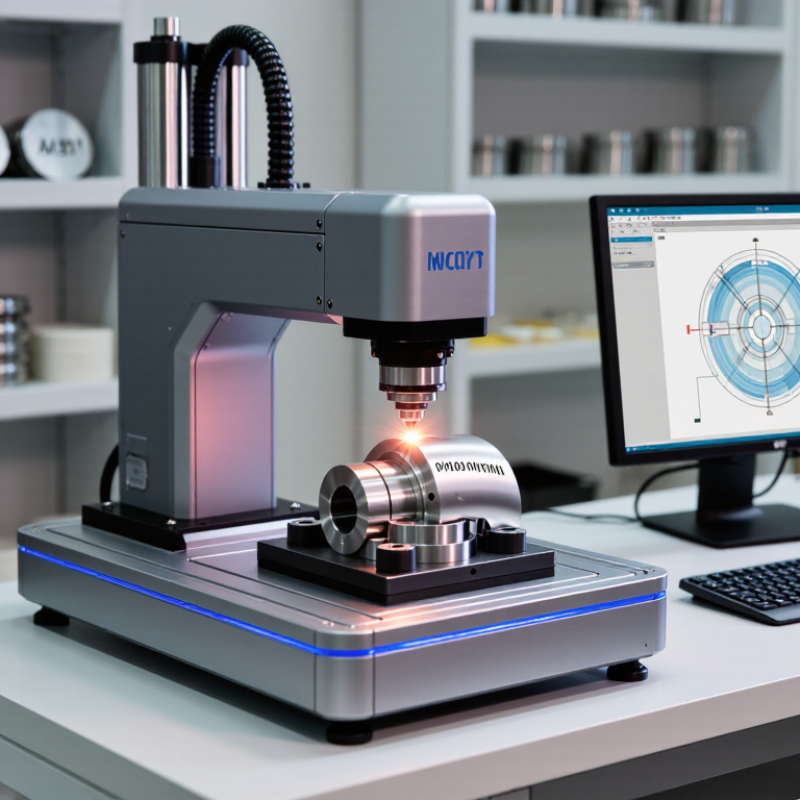
Identify the Material: 1064 nm Fiber Lasers Commonly Mark Metals
A 1064 nm fiber laser is a practical choice for many metal-marking tasks because metals absorb this near-infrared wavelength more readily than many visible wavelengths. The result depends on the alloy, surface finish, and laser settings. On stainless steel, controlled heat can produce a dark annealed mark; higher energy may cut or engrave instead. That distinction matters.
Copper and polished brass can reflect much of the incoming beam, making consistent marking more demanding. Anodized aluminum is often marked by removing its surface layer, not by engraving deeply into the metal. A small test grid helps reveal the difference. Change one setting at a time, and inspect the mark under the same lighting used for production. A clean black mark is not guaranteed.
MarketsandMarkets’ 2024 Laser Technology Market report projects growth from USD 20.3 billion in 2024 to USD 29.5 billion by 2029. This is market context, not evidence that every material is suitable for fiber marking. In practice, one attractive sample is not a production guarantee. Test representative parts for contrast, legibility, and durability, especially when coatings or surface treatments vary. It is easy to overlook that last point.
Compare Output Power: 20–100 W Covers Many Industrial Marking Tasks
Choosing a fiber laser marking machine in 2026 often starts with output power, but wattage alone does not predict mark quality. For many industrial jobs, 20–100 W covers a practical range, from adding clear identification to metal components to producing deeper marks on suitable materials. A 20 W system may handle small text and codes at a steady pace, while higher power can shorten cycle times or support deeper engraving. That matters on a busy production line.
Still, more power is not automatically better. A 50 W source may outperform a 100 W setup on a fine mark if the spot size, focus, pulse settings, and scan speed suit the part. A stainless-steel bracket, for example, may need a different setup from an anodized aluminum panel. Test actual samples. Measure contrast, edge sharpness, and cycle time under realistic conditions, not just on a clean demonstration plate. It is an imperfect rule, but useful: choose the lowest power that reliably meets your marking depth and throughput targets. Leave room for variation between batches, too; real parts are rarely as consistent as the first sample.
What Is the Best Fiber Laser Marking Machine in 2026?
Comparing common output-power options for industrial marking tasks
Fiber laser markers are commonly offered in 20–100 W configurations. Lower power can suit fine or general-purpose marking, while higher power may support faster processing or more demanding marking jobs. These are typical starting points, not guarantees: material, mark depth, scan field, and required cycle time all affect the best choice.
Choose Pulse Control: Some MOPA Sources Offer 2–500 ns Pulse Widths
When comparing fiber laser marking machines, pulse control can matter as much as headline power. Some MOPA sources offer pulse widths from 2 to 500 ns, but that range is not standard on every machine. Check the source specifications and confirm which settings are actually available. A short pulse can help create crisp, low-heat marks on sensitive surfaces. Longer pulses may suit other marking effects, depending on the material and setup. The number alone is not a quality guarantee.
Look at the workpiece, not just the brochure. On a stainless-steel test coupon, vary pulse width while holding focus and marking speed steady; inspect edge sharpness, contrast, and heat tint under consistent lighting. Then repeat with the production material. Small changes matter. Pulse width interacts with frequency, energy, scan speed, and focus, so changing several settings at once makes results hard to interpret. Ask for sample marks on your own parts, and record the settings that produced them. A machine with a broad range may offer useful flexibility, though it can also invite unstructured trial and error. The best choice is the one whose controls, documentation, and repeatability match your actual marking tasks.
Verify Performance: Compare Speed, Field Size, and Marking Detail
A fiber laser marking machine should be judged on the work it can repeat, not just its headline speed. Ask for a timed test using your own material, such as a stainless-steel tag or anodized aluminum panel. Keep the artwork, power, frequency, and pass count consistent. Then compare cycle time, including loading and positioning. A fast scan setting may look impressive, but acceleration, line spacing, and complex shapes can slow the finished job. Small details matter.
Field size changes the trade-off. A wider lens can cover a larger area, yet fine text or narrow lines may become less crisp near the edges. Check marks at the center and corners of the usable field. Use a loupe or close-up photos to inspect small characters, line uniformity, and edge sharpness. Run the same test at your typical production speed, not only at a machine’s best-case setting. Results vary with surface finish and part geometry. A sample test is useful, but it cannot predict every shift or operator. I would also record rejected marks; that number is easy to overlook.
Check Laser Safety: Review IEC 60825-1 Classification and Enclosures
What Is the Best Fiber Laser Marking Machine in 2026?
A safe fiber laser marker is not defined by its source power alone. IEC 60825-1:2014 classifies laser products in seven classes, from Class 1 to Class 4, based on accessible radiation and potential hazard. Many fiber sources operate near 1,064 nm, an infrared wavelength the eye cannot see. No visible beam does not mean no risk. Ask for the machine’s classification report and check whether it covers the complete, assembled system—not just the laser source.
A fully enclosed marker may be classified as Class 1 during normal operation, even when a higher-class laser operates inside. Check the viewing window, door interlocks, seams, and any cable or extraction openings. A worn seal can matter. So can a bypassed interlock during servicing. IEC 60825-1’s classification framework makes accessible emission the key question; a cabinet’s appearance alone cannot answer it. Request test results for the actual configuration and operating conditions.
Look for clear warning labels, documented interlock checks, and instructions for abnormal conditions, such as a door left open. The U.S. National Institute for Occupational Safety and Health’s laser-safety guidance also emphasizes engineering controls, including enclosures and interlocks, as practical ways to limit exposure. Details vary by installation. A tidy enclosure helps, but it is not proof of safety. Verify the paperwork, then inspect the machine on site.