How to Choose the Right Industrial TFT LCD Display?
Choosing the right Industrial Tft Lcd Display begins with the machine, not the catalog. A bright screen may look impressive in a showroom. It can still fail beside a furnace, inside a vibrating control cabinet, or under direct sunlight. The correct choice depends on temperature, viewing distance, touch requirements, operating hours, and installation space.
Bob Raikes, founder of Display Daily and a respected display industry analyst, has said, “A display is the human interface to technology.” That idea matters in industrial design. Operators read alarms, adjust settings, and respond to faults through the screen. Poor contrast or slow touch response can create hesitation. In a factory, hesitation has a cost.
Start with the environment. Check the expected temperature range, humidity, dust exposure, vibration, and available protection rating. Then compare panel size, resolution, brightness, viewing angle, interface options, and expected service life. A 1,000-nit display may suit outdoor equipment, while a lower-brightness panel may perform better in a controlled plant. Optical bonding can reduce reflections and improve readability, but it may increase cost and complicate repairs.
Do not trust specifications alone.
Ask for samples. Test them with gloves, safety glasses, and the real control software. Watch the screen during startup and after several hours of operation. Some choices look perfect on paper. They are not always perfect in practice. A careful evaluation may reveal a weak connector, uncomfortable viewing angle, or unnecessary feature that adds expense without improving reliability.
Define the Application Requirements and Operating Environment
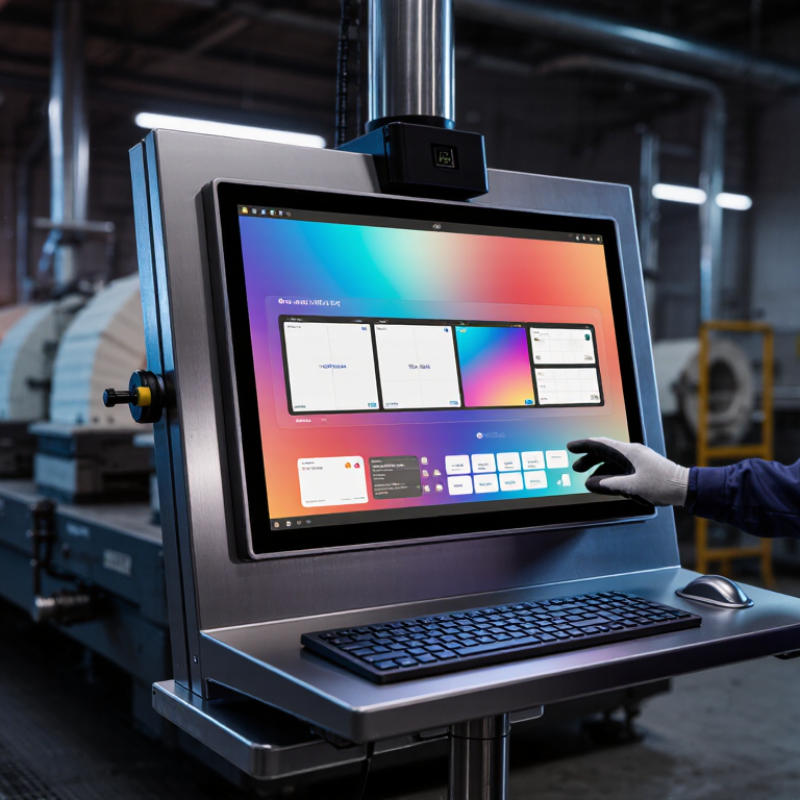
Choosing the right industrial TFT LCD display starts with application requirements, not panel size. Define what operators must see, where they will stand, and how often they will interact with the screen. Viewing distance determines text size and pixel density. Gloved users may need a projected-capacitive or resistive touch interface. Ambient light matters too. A bright screen is not automatically reliable. It may create glare, heat, and poor readability.
The operating environment needs equal attention. The International Federation of Robotics reported 541,302 industrial robots installed worldwide in 2023. More automated equipment means more displays operating near vibration, motors, dust, and electromagnetic noise. Specify the actual temperature range, humidity, shock, vibration, and cleaning chemicals. IEC 60068 test methods can help structure these evaluations. An IP rating is useful, but incomplete. It does not describe sunlight, chemical exposure, or repeated thermal cycling. That limitation is easy to overlook.
For outdoor or hot machinery, compare luminance, thermal design, and sunlight readability under real conditions. For factory floors, check connector retention, cable routing, and glove accuracy during trials. Ask for operating-life data, not only a headline specification. A practical mistake is testing the display in a quiet laboratory, then installing it beside a frequency drive. The image may flicker. Touch response may drift. Repeating the test after cleaning and vibration exposure is more honest. Requirements should be documented before procurement, although field assumptions sometimes prove wrong.
Evaluate Brightness, Contrast, Resolution, and Touchscreen Options
How to Choose the Right Industrial TFT LCD Display?
Brightness and contrast determine whether operators can read data quickly. In a factory, overhead lighting, glare, dust, and changing daylight can weaken screen visibility. A display rated for indoor use may look dull near a loading bay. I recommend testing the panel at its actual installation point. Measure brightness in direct light, not only in a dark showroom. Contrast matters too. Deep blacks and clear whites help users distinguish alarms, graphs, and small labels. However, higher brightness can increase heat and power consumption. I have seen teams choose maximum brightness and later reduce it.
Tips: Match brightness to the environment, then check heat output. For dim areas, avoid excessive luminance. Ask for viewing-angle data, especially when operators stand beside the screen. A practical test with real software is more reliable than a specification sheet alone.
Resolution should match the displayed content and screen size. A compact panel with excessive resolution may add cost without improving usability. For detailed images, maps, or dense control dashboards, higher resolution improves clarity. Touchscreen selection also deserves careful testing. Resistive touch can work with gloves and pointed tools, while capacitive touch usually offers smoother interaction. Wet hands, protective covers, and repeated tapping may affect performance. I once underestimated glove thickness during evaluation. The interface responded poorly, despite passing a basic finger test. Check touch accuracy, response time, durability, and cleaning procedures before approval.
Check Industrial Durability, Connectivity, and Compliance Standards
How to Choose the Right Industrial TFT LCD Display?
An industrial TFT LCD display must survive more than a clean factory showroom. Dust, vibration, temperature shifts, and constant operation can expose weak design choices quickly. IEC 60529 defines IP protection levels, so an IP65 front panel can resist dust and water jets when properly installed. However, the rating may not cover the rear housing or cable entry.
Connectivity deserves equal attention. Check whether the display supports HDMI, DisplayPort, VGA, USB, or serial control. A 2024 industrial display market study by MarketsandMarkets estimated strong growth through 2029, driven partly by factory automation and connected equipment. That growth makes compatibility more important. A bright screen is useless if its signal drops beside a motor drive. Test cable length, electromagnetic interference, touch response, and startup behavior during voltage changes.
Compliance should be verified before procurement. Look for documented testing under IEC 61000 electromagnetic compatibility requirements, IEC 60068 environmental testing, and applicable electrical safety regulations. Confirm the supplier provides test reports, not only printed claims. In practical installations, I have seen teams specify excessive brightness while overlooking glove operation and connector strain. That mistake is easy to repeat. Also check the operating temperature range, shock resistance, sealing method, and expected service hours. Market forecasts are helpful, but actual factory conditions remain the harder test.
Verify Integration Support, Lifecycle, and Total Ownership Cost
Choosing an industrial TFT LCD display requires more than comparing brightness and screen size. Verify integration support before approval. Ask for mechanical drawings, interface timing, touch protocols, mounting tolerances, and validated operating temperatures. A supplier should provide samples, response-time data, optical measurements, and engineering assistance during installation. Without this evidence, a “compatible” panel may still require new cables, firmware changes, or enclosure modifications.
Lifecycle planning affects the real purchase price. The 2024 Global E-waste Monitor reported 62 million tonnes of electronic waste in 2022, with only 22.3% formally collected and recycled. Select displays with documented availability periods, stable component sourcing, repairable backlights, and reserved replacement units. A three-year warranty is useful, but it does not guarantee production continuity. Confirm last-time-buy notice periods and storage recommendations. Small details matter.
Total ownership cost includes integration labor, downtime, spare inventory, energy use, and field service. Uptime Institute’s 2024 Annual Outage Analysis found that 54% of reported outages cost more than 100,000 dollars. A failed operator display can stop inspection or delay a production line. That risk deserves a number. Build a five-year model, not just a purchase comparison. Include brightness drift and touch recalibration. My first-pass cost sheet would probably miss training time, too. That shortcut is tempting, but incomplete.
How to Choose the Right Industrial TFT LCD Display?
Five-year total ownership cost comparison based on integration effort, technical support, replacement exposure, and production downtime. Values are planning estimates in thousands of USD and should be validated against project quotations.
A lower initial purchase price may create higher long-term costs if integration support is limited or the display has a short availability period. Confirm interface compatibility, documented lifecycle commitments, replacement options, and response-time support before approval.