How to Choose the Best Desktop Laser Engraver for Your Projects
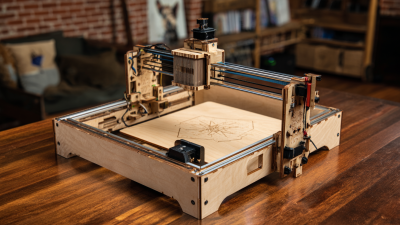
Choosing the right desktop laser engraver can significantly influence the quality and efficiency of your projects, whether you are a hobbyist or a professional. As the demand for personalized and intricate designs grows, having the appropriate tool at your disposal becomes imperative. A desktop laser engraver offers precision and versatility, allowing you to work on various materials such as wood, acrylic, and leather, making it an essential investment for anyone looking to enhance their creative endeavors.
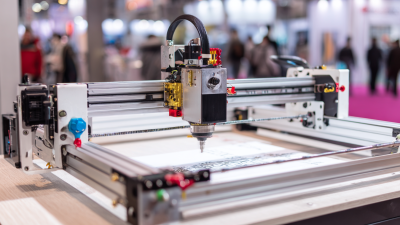
When selecting a desktop laser engraver, there are several factors to consider. The power of the laser, the size of the working area, and the software compatibility are crucial elements that can affect the outcome of your engraving tasks. Understanding your specific needs and project requirements will help you narrow down your options and choose a machine that not only fits your budget but also elevates your creative capabilities.
Moreover, user-friendliness and customer support are vital aspects to consider, especially for beginners who may need guidance as they navigate their new equipment. In this article, we will explore the key features and considerations that will help you identify the best desktop laser engraver tailored to your projects, ensuring that you can bring your creative visions to life with precision and ease.

Factors to Consider When Selecting a Desktop Laser Engraver
When selecting a desktop laser engraver, several crucial factors should be considered to ensure that the equipment fits your specific project needs. One of the primary considerations is the laser type. CO2 lasers are optimal for engraving and cutting non-metal materials such as wood, acrylic, and glass, making them highly versatile for a range of projects. According to a market report from Research and Markets, the CO2 laser engraving market is projected to grow by a significant percentage over the next few years, due to increasing applications in various industries, from arts and crafts to manufacturing.
Another essential factor is the engraving area. The size of the engraving bed directly affects the dimensions of the projects you can undertake. Industries utilizing laser engraving machinery often report that a larger engraving area allows for increased productivity and the capability to handle larger pieces. For instance, a report from MarketWatch mentions that manufacturers are increasingly favoring machines with at least a 24x12 inch engraving area, as this size accommodates a wide variety of applications, from personalized gifts to intricate prototypes.
Lastly, consider the machine's software compatibility and ease of use. Many modern desktop laser engravers come equipped with user-friendly software that supports various design formats. A study from Statista highlights that 67% of users find software usability to be a critical deciding factor in their purchasing decision. Having intuitive software can significantly reduce learning curves and improve efficiency, enabling users to focus more on creativity than on technical challenges.
Understanding Different Laser Types: CO2 vs. Fiber vs. Diode
When selecting a desktop laser engraver for your projects, understanding the different types of lasers—CO2, fiber, and diode—is crucial to making an informed choice.
CO2 lasers, known for their versatility, are effective on a wide range of materials, including wood, acrylic, glass, and leather. These lasers typically have a wavelength of 10.6 micrometers, making them ideal for engraving and cutting non-metal materials with precise detail. According to industry reports, the CO2 laser market is projected to grow significantly, driven by the increasing demand for customized products and signage.
In contrast, fiber lasers are highly efficient when it comes to engraving metals and certain plastics.
With a shorter wavelength of around 1.064 micrometers, fiber lasers offer exceptional beam quality and are less expensive to maintain than CO2 lasers. They are widely used in industrial applications and have been identified as the preferred choice for marking and etching on conductive materials. A recent study highlighted that the fiber laser market is expected to dominate the engraving landscape, particularly for businesses focused on metal processing, given its longevity and lower operational costs.
Diode lasers, while less powerful, serve as an entry-level option for home users and hobbyists. They can engrave softer materials like cardboard, wood, and some plastics but lack the versatility of CO2 and fiber technologies. Reports suggest that diode lasers are gaining popularity due to their affordability and user-friendly operation. However, their limited capability means they are best suited for lighter engraving tasks rather than heavy-duty industrial work. When choosing a laser engraver, consider the materials you intend to work with and the scale of your projects to find the best fit.
Evaluating Engraver Specifications: Power, Speed, and Precision
When selecting a desktop laser engraver for your projects, evaluating the key specifications such as power, speed, and precision is crucial. The power of the engraver, typically measured in watts, directly affects its ability to cut through various materials. Higher wattage allows for deeper cuts and quicker engraving on thicker substrates, making it ideal for more demanding projects. However, it’s essential to find a balance, as excessive power can lead to material damage or burn marks on delicate items.
Speed is another critical factor in the choice of a laser engraver. Measured in millimeters per second, the speed determines how fast the machine can move while engraving. A faster engraver can boost productivity, particularly for large-scale projects or when working with multiple items. However, it’s important to consider how speed impacts the quality of the engraving. Compromising speed for the sake of quality may be necessary when precision is paramount, particularly for intricate designs.
Precision, often indicated by the minimum spot size and resolution, plays a vital role in achieving the desired finish in your projects. High precision ensures that fine details are rendered accurately, which is especially important for detailed logos or intricate designs. Look for engravers with adjustable focus settings and high-resolution capabilities to achieve the best results. The combination of these three specifications—power, speed, and precision—will guide you in selecting an engraver that meets your specific needs and enhances your project outcomes.
Analyzing Material Compatibility for Various Engraving Projects
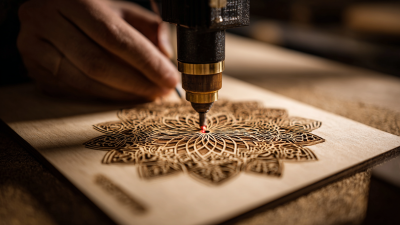
When choosing a desktop laser engraver for your projects, material compatibility is a crucial factor that can significantly affect your outcome. Different materials respond uniquely to laser engraving, and understanding these interactions can help you achieve precise and detailed results. For instance, wood is a popular choice due to its natural grain and ability to absorb laser energy effectively. Depending on the type of wood, the settings can be adjusted to create varying depths and contrasts, making it ideal for projects ranging from intricate designs to personalized gifts.
On the other hand, materials like acrylic and certain types of plastics also offer great versatility for laser engraving. Acrylic, for example, can be engraved with a high level of detail, producing a clear frosted effect that enhances the visual appeal of the final product. When working with metals, it’s essential to use appropriate settings to avoid damaging the material while still achieving the desired marking or engraving depth. Each material has its unique properties, such as reflectivity and thermal conductivity, which can influence the engraving process. Therefore, knowing the nuances of each material will not only guide you in selecting the right engraver but also equip you with the knowledge needed to tailor your projects effectively.
Material Compatibility Analysis for Desktop Laser Engravers
Budgeting: Cost vs. Features in the Desktop Laser Engraving Market
When selecting a desktop laser engraver, budgeting plays a crucial role in determining the right machine for your projects. Understanding the balance between cost and features is essential for making a wise investment. Budget options may offer basic engraving capabilities, but they often lack the precision, speed, and versatility found in mid-range and high-end models. It’s important to assess what features are non-negotiable for your intended applications, such as power output, engraving area, and material compatibility. Spending a bit more upfront could lead to significant improvements in efficiency and quality, ultimately providing better value over time.
In the competitive desktop laser engraving market, distinguishing between essential features and those that are merely attractive can guide your purchasing decision. For instance, advanced safety features, user-friendly software, and superior build quality often justify higher prices. However, if your projects are straightforward, investing heavily in additional features may not be necessary. By carefully analyzing your project needs and aligning them with the right engraver specifications, you can achieve a balance where cost meets functionality without compromising on the quality of your work.
How to Choose the Best Desktop Laser Engraver for Your Projects
| Model |
Price ($) |
Engraving Area (mm) |
Max Speed (mm/s) |
Material Compatibility |
Ease of Use |
| Basic Engraver |
299 |
200 x 200 |
100 |
Wood, Acrylic |
Beginner Friendly |
| Advanced Engraver |
599 |
300 x 300 |
150 |
Wood, Acrylic, Leather |
Moderate |
| Professional Engraver |
999 |
400 x 400 |
200 |
Wood, Acrylic, Leather, Metal |
Advanced |
| High-End Engraver |
1599 |
500 x 500 |
250 |
Wood, Acrylic, Leather, Metal, Glass |
Professional |